
Top 5 Best Bus Skins and Livery Mods for BUSSID
Bus Simulator Indonesia (BUSSID) offers players the opportunity to explore the beautiful landscapes of Indonesia while driving a bus. But what makes the game even more exciting is the ability to customize your bus with unique skins and liveries.
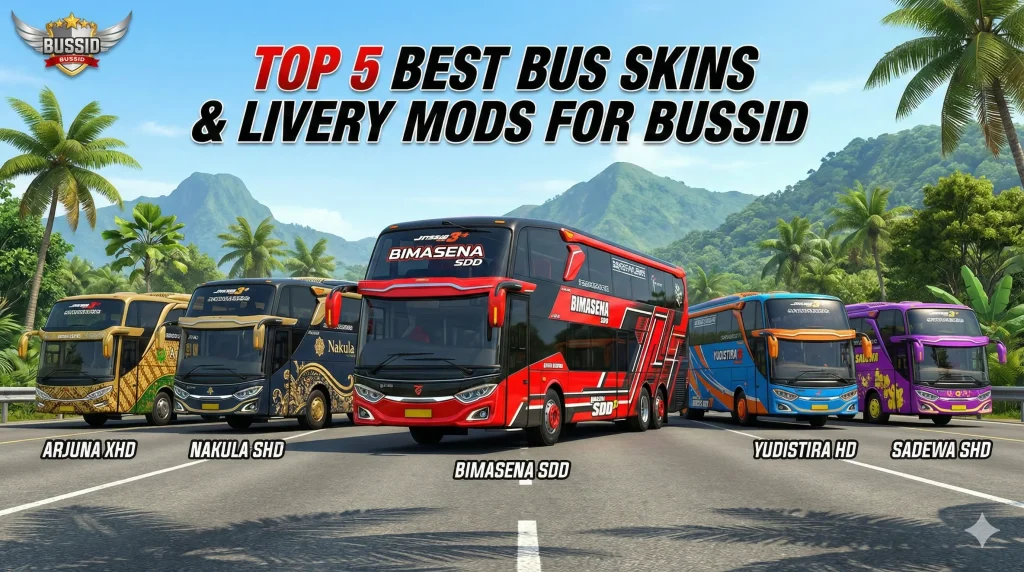
These custom designs add a personal touch to the game, giving you the freedom to drive a bus that reflects your style. Whether you want a sleek, modern look or something more traditional, there’s a perfect bus skin for you.
In this article, I’ll share the top 5 bus skins and livery mods for BUSSID that will truly elevate your gaming experience.
Why Should You Customize Your Bus in BUSSID?
If you’ve been playing Bus Simulator Indonesia for a while either on your iOS device or PC, you know that driving a bus on endless routes can sometimes feel repetitive. Customizing your bus with different skins not only keeps the game fresh but also makes each trip unique.
Customizing your bus in Bus Simulator Indonesia is more than just a fun way to personalize your gameplay. With the right skins and liveries, you can transform your in-game experience, whether you’re cruising through scenic landscapes, navigating city streets, or driving in challenging terrains.
In the world of BUSSID mods, customization options are endless. From flashy, modern skins to culturally rich designs, there’s something for everyone. Let’s dive into the top 5 best bus skins that you should definitely try.
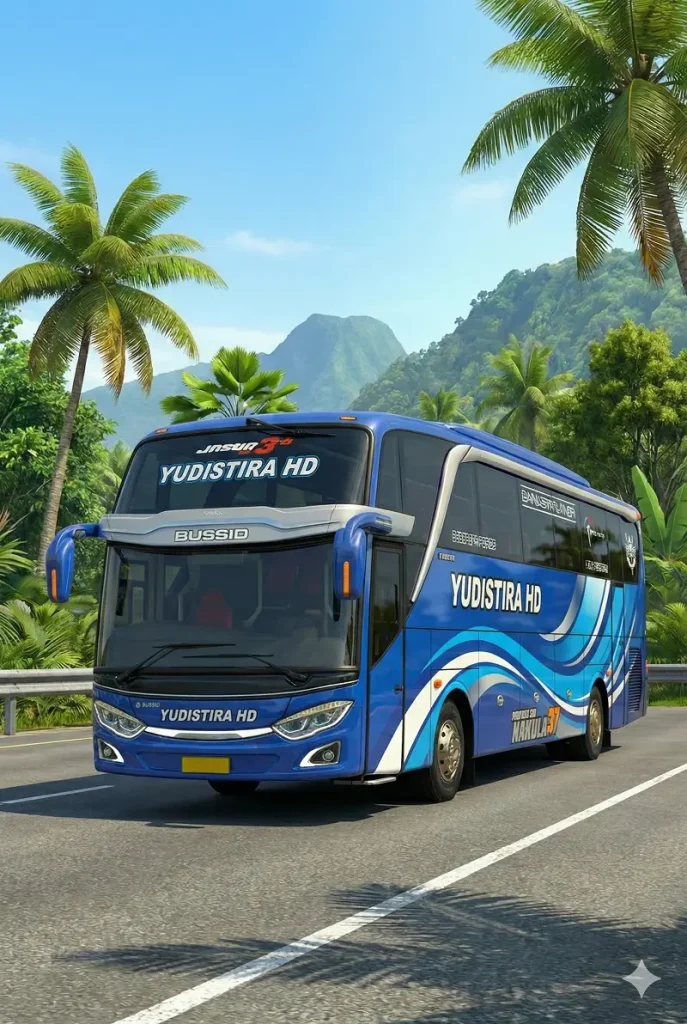
Livery Bussid Yudistira HD
For those who love a double-decker bus look, the Bimasena SDD Livery is the perfect choice. Featuring bold graphics and a contemporary design, this skin is great for anyone who wants to simulate a real-world city bus while standing out on the road. The skin’s high-quality finish makes it one of the most realistic double-decker bus skins in the game.
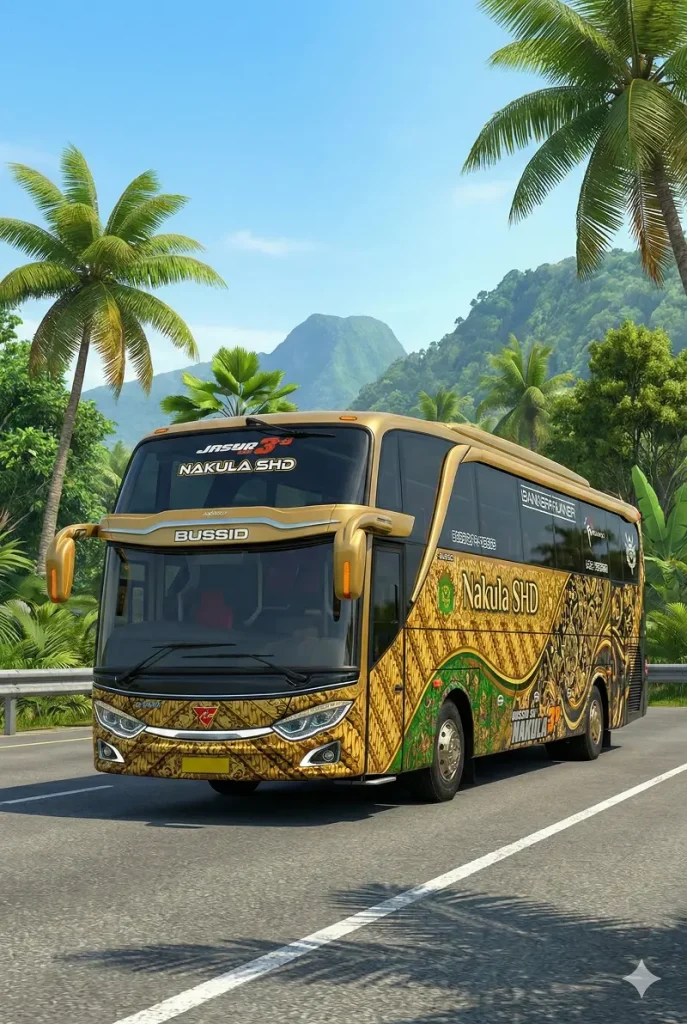
Livery Bussid Nakula SHD
For those who love luxury, the Nakula SHD Livery is a top choice. This skin represents an extra-high deck bus, commonly used for long-distance trips. With its elegant design and rich color scheme, the Nakula SHD gives off a premium feel, making it ideal for players who want to feel like they’re driving a high-end coach.
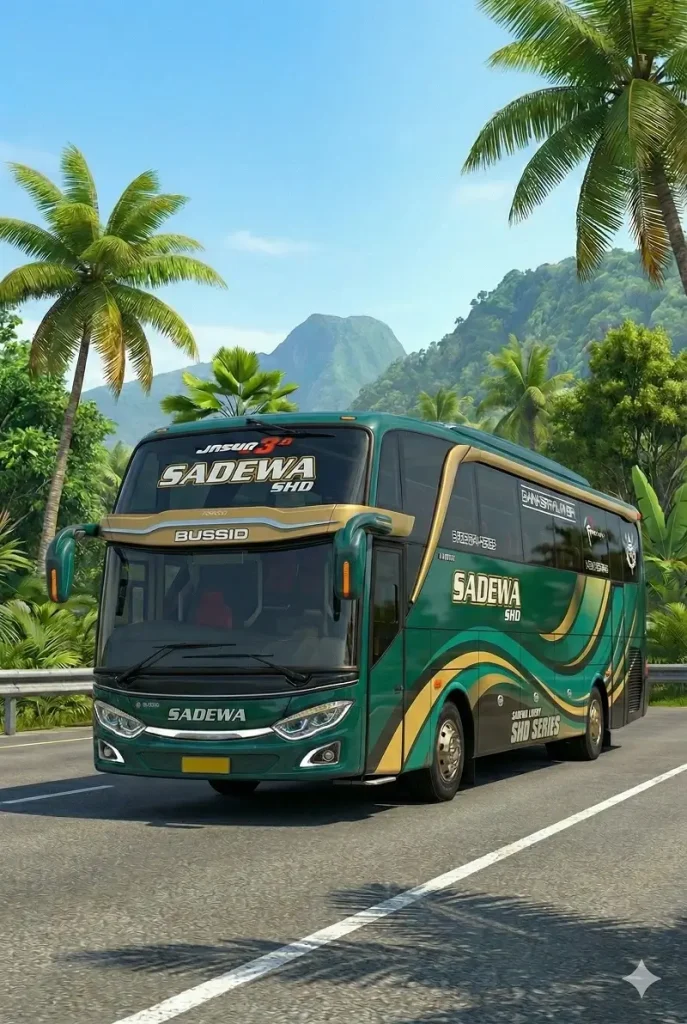
Livery Bussid Sadewa SHD
The Sadewa SHD Livery is another popular choice for players who prefer sleek, modern bus designs. This skin features dynamic patterns and bold colors, making it a perfect match for those who want a more energetic and attention-grabbing look while driving.
Livery Bussid Arjuna XHD
The Arjuna XHD Livery is designed for players who enjoy a bus with luxury and sophistication. Featuring extra-high deck elements and a detailed, artistic design, this skin gives your bus an upscale, stylish look. It’s perfect for players who want to cruise through the game’s beautiful landscapes with class and style.
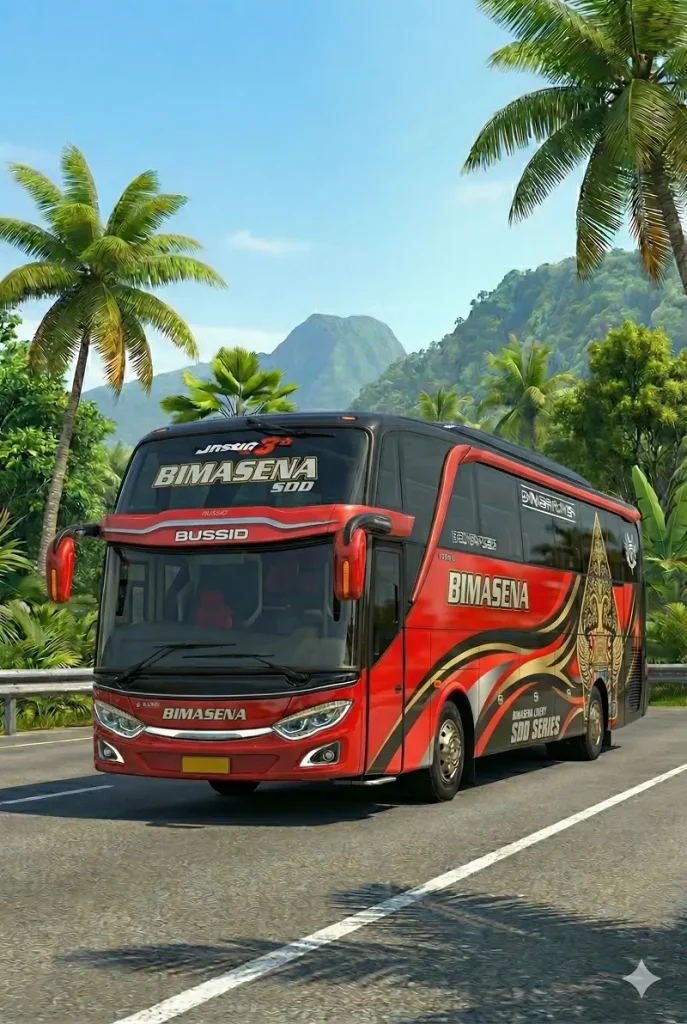
Livery Bussid Bimasena SDD
For those who love a double-decker bus look, the Bimasena SDD Livery is the perfect choice. Featuring bold graphics and a contemporary design, this skin is great for anyone who wants to simulate a real-world city bus while standing out on the road. The skin’s high-quality finish makes it one of the most realistic double-decker bus skins in the game.
How to Install BUSSID Skins?
Getting these amazing skins onto your BUSSID game is quick and easy. You can find the these Livery on the Livery BUSSID 2025 app, ready for easy download and installation. Here’s how you can install your chosen livery:
Conclusion
Customizing your bus in Bus Simulator Indonesia is more than just a fun way to personalize your gameplay. With the right skins and liveries, you can transform your in-game experience, whether you’re cruising through scenic landscapes, navigating city streets, or driving in challenging terrains. From the bold and modern Scania skin to the cultural beauty of the Batik design, these top 5 bus skins are some of the best choices for enhancing your game.